
Cross-platform app development has become one of the fastest-growing fields in modern software engineering, and Flutter is now considered one of the leading technologies for building Android, iOS, web, and desktop applications using a single codebase. Developed by Google, this framework delivers high performance, modern UI capabilities, and faster development workflows while reducing overall project costs.
Over the past few years, businesses and startups have increasingly adopted cross-platform solutions to launch products more quickly across multiple devices and operating systems without maintaining separate applications for each platform.
You can explore the official platform through Flutter Official Website and access the complete developer resources via Flutter Documentation.

What is Flutter?
Flutter is an open-source UI framework created by Google for building mobile, web, and desktop applications using the Dart programming language. It enables developers to create apps for Android, iOS, Windows, macOS, Linux, and the web from a single project.
The framework relies on a powerful rendering engine called Skia, allowing applications to achieve near-native performance while delivering highly customizable and visually modern user interfaces.
If you want to learn more about the rendering engine behind the framework, you can visit Skia Graphics Engine.
Why Has Flutter Become So Popular?
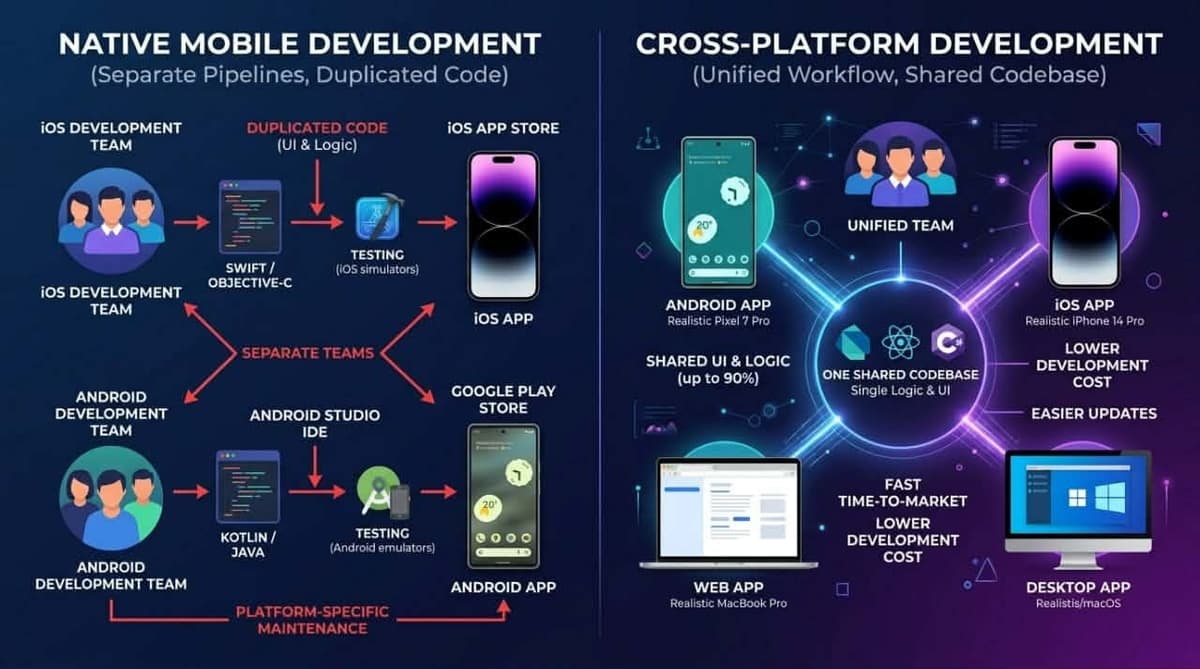
Before cross-platform technologies became mainstream, developers had to build separate applications for each operating system:
- Kotlin and Java for Android development
- Swift and Objective-C for iOS development
This traditional approach required more time, larger development teams, and significantly higher costs. Modern cross-platform frameworks changed this by enabling developers to maintain one shared codebase across multiple platforms.
The rise of technologies like React Native also accelerated industry adoption of cross-platform development solutions.
How Does Flutter Work?
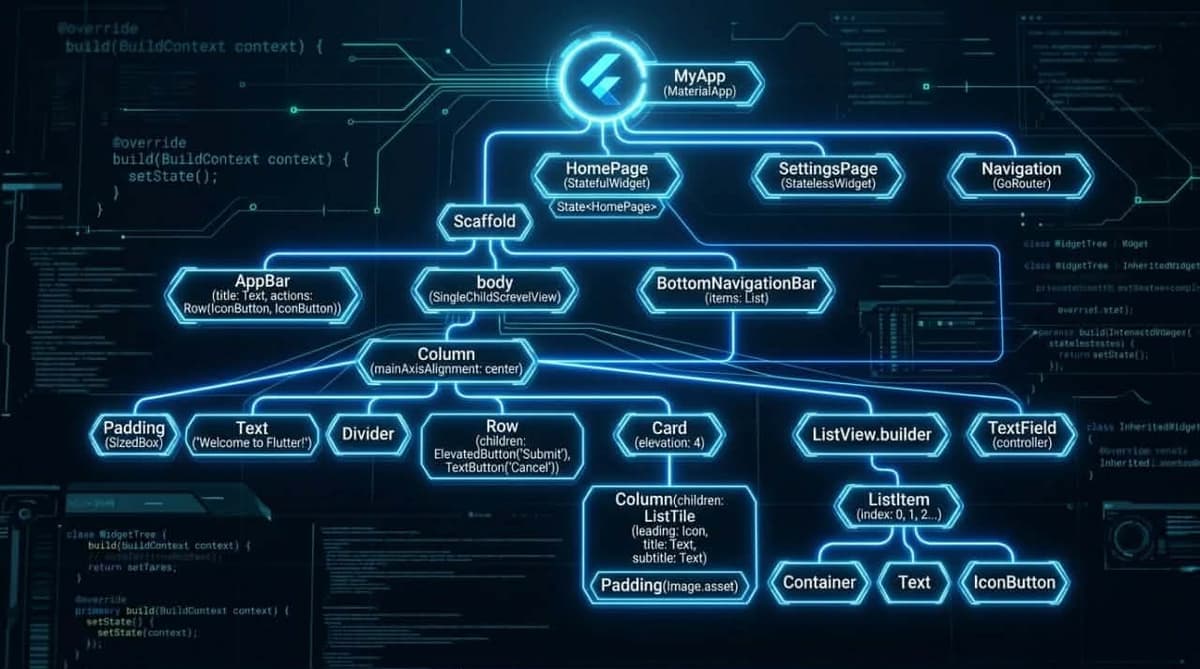
The framework is based on the concept of Widgets, where every UI element inside the application is considered a widget, including:
- Text
- Images
- Buttons
- Lists
- Input fields
Developers combine these widgets together to create fully customizable and scalable user interfaces.
Google also provides a massive library of ready-to-use UI components through the official Widgets Catalog.
Key Advantages
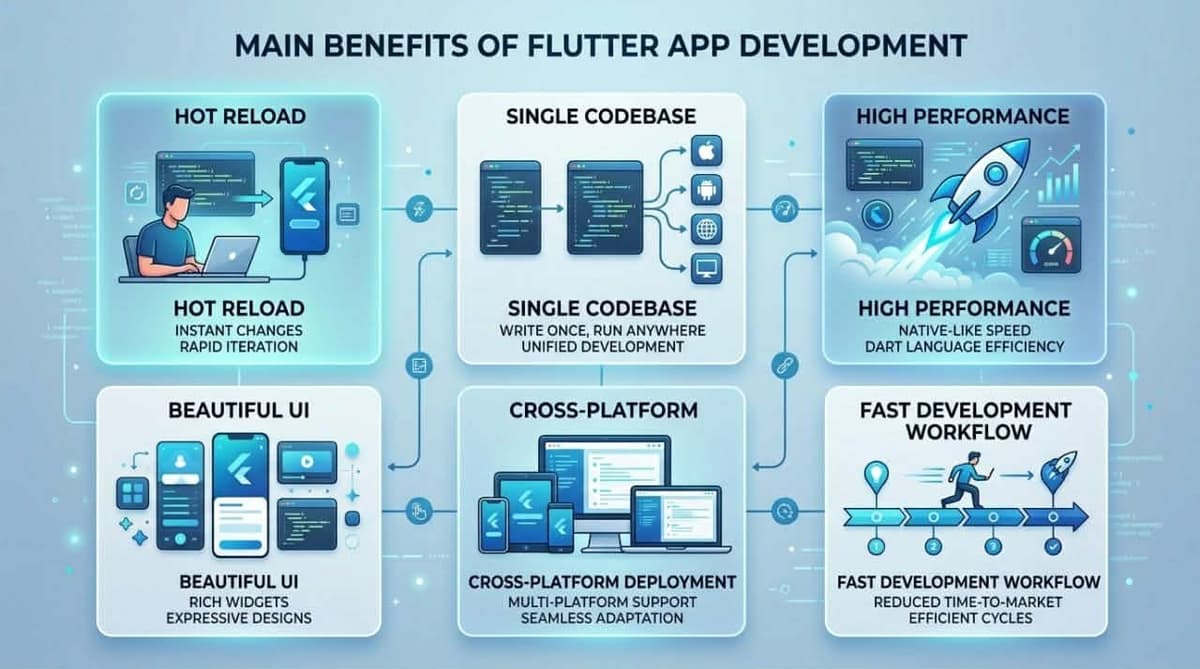
- Single Codebase: Build apps for Android, iOS, web, and desktop using one project.
- High Performance: Uses a direct rendering engine without relying on traditional bridges.
- Modern UI Design: Includes a large collection of customizable UI components.
- Hot Reload: Instantly preview code changes during development.
- Beginner Friendly: Easy to learn thanks to Dart and excellent official documentation.
- Strong Community: Backed by a large ecosystem of developers and open-source packages.
Flutter vs React Native
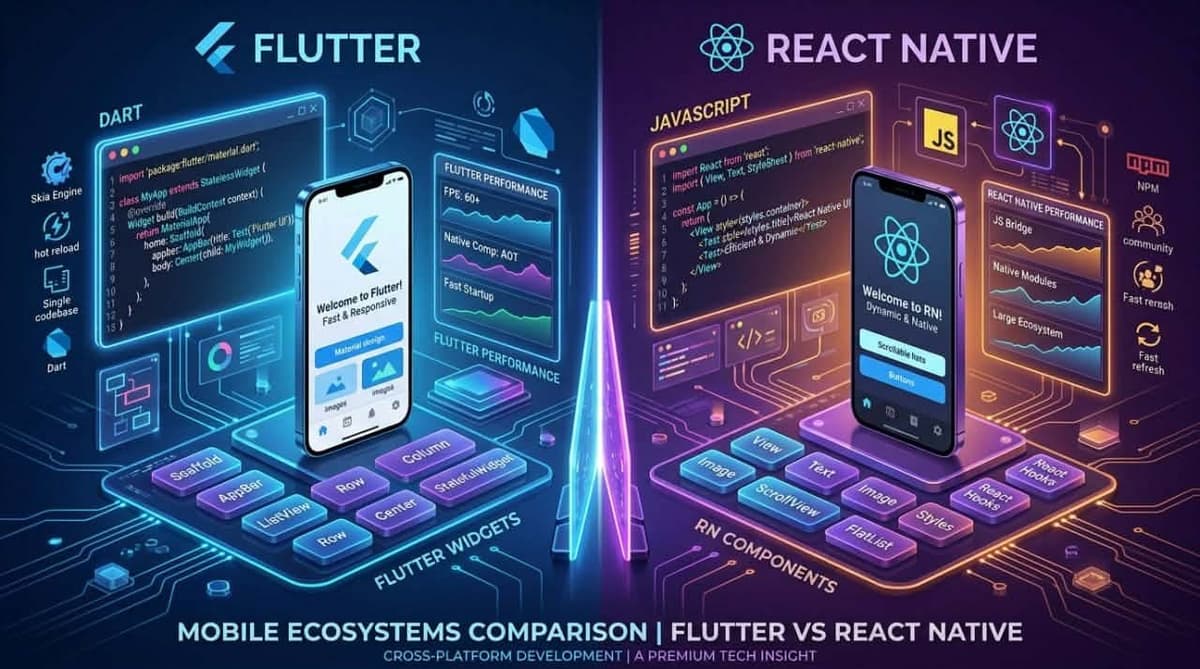
| Feature | Flutter | React Native |
|---|---|---|
| Performance | Very High | Medium to High |
| UI Consistency | Unified UI | Platform-dependent |
| Programming Language | Dart | JavaScript |
| Learning Curve | Beginner Friendly | Better for JavaScript Developers |
For a deep dive into React Native — how it works, its advantages, and real-world apps — read our Complete React Native Guide.
The table above summarises the general differences only. If you are facing an actual decision between the two frameworks for a real project — weighing performance, RTL support, team size, and maintenance cost — the detailed comparison lives in Flutter vs React Native: Which Should You Choose?.
Programming Language Used
Flutter uses Dart, a modern programming language developed by Google that focuses on performance, readability, and object-oriented programming principles.
Compared to many other programming languages, Dart is relatively easy to learn, making the framework accessible even for beginners entering mobile app development.
You can learn more about the language through the Dart Official Website.
Common Use Cases
- Android app development
- iOS app development
- Web applications
- Windows, macOS, and Linux applications
- Admin dashboards and management systems
- E-commerce applications
- Education and delivery apps
How to Start Learning Flutter
To begin learning, developers should first install the official SDK and prepare a suitable development environment.
Popular IDEs and code editors include:
- VS Code
- Android Studio
- IntelliJ IDEA
- Xcode for macOS users
VS Code is often considered one of the best options for beginners because of its speed and lightweight experience.
Hot Reload Feature
One of the biggest reasons behind the popularity of this framework is the Hot Reload feature, which allows developers to see code changes almost instantly without restarting the entire application.
This significantly speeds up UI development, experimentation, and debugging workflows.

Firebase Integration
The framework integrates seamlessly with Google services, especially Firebase, which is widely used for authentication systems, cloud databases, push notifications, and backend services.
You can explore Firebase through the Firebase Official Website.
Additionally, Pub.dev offers thousands of open-source packages that help accelerate development.
What Flutter Actually Costs to Build In
Framework choice is rarely a line item on its own — it shows up as build time, team size, and what maintenance looks like a year later. These are the ranges we quote for Flutter work in the Gulf market, and what moves a project between them.
| Project type | Typical build time | Indicative range (USD) |
|---|---|---|
| MVP / simple app, shipped to both platforms | 6–10 weeks | $5,000 – $15,000 |
| Standard commercial app (auth, payments, backend, admin) | 3–5 months | $15,000 – $45,000 |
| Advanced app or platform (real-time, multi-role, heavy integrations) | 5–9 months | $45,000 – $100,000 |
These are the same tiers used in Mobile App Development Cost, which covers the full pricing methodology. Flutter does not sit in a separate pricing bracket — the framework affects how the work is done far more than what it costs.
Three things move a quote more than the framework does:
- Backend scope. A Flutter front end talking to an existing, documented API is a fraction of the cost of one where the backend is built alongside it.
- Integration count. Each payment gateway, government identity provider, or ERP connection carries its own build-and-certify cycle. See Payment Gateways in the Gulf for what those cycles look like in practice.
- Design ownership. Flutter draws its own pixels, which is a gift when you have a real design system and a liability when you do not — "make it look native" is unbounded work.
The single-codebase saving is real but routinely overstated. Expect roughly 30–40% less than two native apps, not 50%. Platform-specific work does not vanish: push notifications, deep links, in-app purchases, permissions, and store review all still need handling twice, even though the UI layer is shared.
For the full cost picture independent of framework, see Mobile App Development Cost and the regional breakdown in App Development Cost in the Gulf.
When Not to Choose Flutter
Most guides on this framework are written to sell it. It is a strong default for cross-platform work, but there are cases where recommending it would be malpractice — and knowing them is what makes the recommendation worth anything.
Choose something else when:
- You already have a React team. The productivity of a team writing in a language it knows beats the theoretical merits of Dart. React Native is the correct answer here, and the reasoning is laid out in Flutter vs React Native.
- The app is fundamentally one platform. If iOS is 95% of your users and always will be, native Swift gives you a better result with less indirection.
- You depend on brand-new OS features. Flutter reaches new platform APIs through plugins, which lag the OS release. If your product depends on a feature announced at WWDC last month, you will be waiting or writing the platform channel yourself.
- The app is mostly content. A news or catalogue app with little interactivity may not justify a native app at all — see Mobile App or Responsive Website (PWA)? before committing to either framework.
- You need the smallest possible download. Flutter apps carry the rendering engine. In markets where a 15 MB floor is a real barrier, that matters.
- Heavy platform-specific hardware work. Deep camera pipelines, Bluetooth peripherals, or background processing tuned per-OS end up written natively anyway, at which point the shared-codebase argument thins considerably.
A note on "Flutter is slow" claims: they are outdated. The Impeller engine resolved the shader-jank problems that generated most of those complaints. Performance rarely decides this question today — team skills and integration requirements do.
Hiring and Team Considerations
The framework you choose is a hiring decision you will live with for years, and it is the part clients most often overlook.
Availability in the region. Flutter developers are well-represented across Egypt, Jordan, Syria, and the Gulf, and the pool has grown steadily. It remains smaller than the JavaScript pool — if your plan is to staff a large team quickly from one city, React Native is the easier hire.
What "a Flutter developer" should mean. Widget composition is the easy part. When evaluating candidates or an agency, the questions that separate real experience from tutorial familiarity are:
- How do they handle state management, and why that choice? A developer with no opinion here has not built anything large.
- Have they shipped to both stores, including the review-rejection cycle?
- Can they write a platform channel when a plugin does not exist?
- Have they built RTL Arabic interfaces? This is where regional experience is not interchangeable with general Flutter skill — the details are in Arabic and RTL Support in Flutter.
The continuity risk. A single Flutter developer who leaves mid-project is more disruptive than losing one of several React developers, simply because the replacement pool is smaller. This is a genuine argument for working with a team rather than an individual, and it is weighed properly in Freelancer or Development Agency?.
Is Flutter Suitable for Large Projects?
Yes. Many companies rely on Flutter for commercial applications because of its strong performance, easier maintenance, and unified user experience across platforms.
It is commonly used for building:
- Financial applications
- Enterprise management systems
- Messaging applications
- E-commerce platforms
- Educational apps
As a project grows, how the code is organised matters more than the framework itself; Clean Architecture in Flutter covers when that structure is worth its added complexity and when it is overkill.
For Arabic-speaking markets specifically, RTL support is what separates an acceptable app from a professional one. Flutter provides the necessary tools, but using them correctly involves many details — covered in Arabic and RTL Support in Flutter.

Disadvantages
Despite its advantages, there are still a few limitations developers should consider:
- Application size may be larger compared to some alternatives.
- Some newer packages may not be fully stable.
- Memory consumption can become high in certain scenarios.
- Developers need to learn Dart if they are unfamiliar with it.
However, these drawbacks are generally not major issues for most modern commercial applications.
Native Apps vs Cross-Platform Apps
| Aspect | Native Applications | Cross-Platform Applications |
|---|---|---|
| Number of Projects | Separate project per platform | Single shared project |
| Development Cost | Higher | Lower |
| Development Speed | Slower | Faster |
| Maintenance | More complex | Easier |
A Decision Framework
If you are choosing a framework for a real project rather than reading out of interest, work through these in order. The first question that gives a clear answer usually settles it.
1. Does your team already know something? An existing React team → React Native. An existing native team → keep going native. Only when there is no incumbent skill does the question become genuinely open.
2. Is this really a cross-platform product? If one platform carries the overwhelming majority of your users and revenue, cross-platform is solving a problem you do not have.
3. How much of the app is not UI? Count the hardware access, background processing, and OS-specific integrations. If they dominate, the shared-codebase saving shrinks toward nothing.
4. How important is a precise, consistent visual identity? Strict brand consistency across both platforms is where Flutter is strongest — it draws every pixel and does not negotiate with the OS.
5. Is Arabic RTL central to the product? Flutter's directionality support is genuinely deeper out of the box. For Arabic-first products this is a real differentiator rather than a marketing point.
6. What happens in year two? Who maintains it, and can you hire them? A framework that is right for the build and wrong for the maintenance is the wrong framework. In-House Maintenance or a Contract? covers what that ongoing commitment actually involves.
The honest summary: for a new cross-platform product with no existing team constraint, especially an Arabic-first one, Flutter is the strongest default available in 2026. That is a default, not a rule — the questions above are what turn it into a decision.
The Future of Flutter
Industry trends indicate that cross-platform development will continue to grow rapidly over the coming years as companies seek faster product delivery and lower development costs.
Google also continues to improve the ecosystem by enhancing performance and expanding support for additional platforms.
You can follow the latest updates through the official Flutter Blog.
Read Also
- Flutter vs React Native — the detailed comparison for making the call.
- Native vs Hybrid Apps — when the cost difference is justified.
- Arabic and RTL Support in Flutter — the technical localisation guide.
- App Development Cost in the Gulf — from technology to budget.
- Mobile App Testing — what is actually worth testing.
Frequently Asked Questions
Is Flutter Free?
Yes. Flutter is a free and open-source framework developed by Google.
Can Flutter Build Both Android and iOS Apps?
Yes. Developers can create applications for multiple platforms using a single shared codebase.
Is Flutter Beginner Friendly?
Yes. It is considered one of the best choices for beginners because of its simplicity and the abundance of learning resources available online.
Can Flutter Be Used for Large-Scale Projects?
Absolutely. Many companies use it for enterprise and production-grade applications.
How much does it cost to build a Flutter app?
A simple app or MVP typically runs $5,000 to $15,000 and takes 6 to 10 weeks. A standard commercial app with authentication, payments, and a backend runs $15,000 to $45,000 over 3 to 5 months. Advanced platforms with real-time features and heavy integrations run $45,000 to $100,000. The framework itself is free; the cost is engineering time, and backend scope moves the number far more than the framework choice does.
Is Flutter cheaper than building two native apps?
Yes, but by roughly 30 to 40 percent rather than the 50 percent often claimed. The UI layer is genuinely shared, but push notifications, deep links, in-app purchases, permissions, and store review still require platform-specific work on both sides.
How long does it take to build a Flutter app?
Six to ten weeks for an MVP, three to five months for a standard commercial app, and five to nine months for complex projects. Integration count and whether the backend already exists affect the timeline more than the number of screens.
Is Flutter good for Arabic and RTL apps?
Yes, and this is one of its clearest advantages. Directionality is built deeply into the framework rather than added on, so mirrored layouts, Arabic typography, and bidirectional text behave correctly with far less manual correction than alternatives require.
Is Flutter better than React Native?
Neither is better in the abstract. React Native is the right choice for teams that already write React or need code sharing with a web product. Flutter is stronger for new teams, strict visual consistency, and Arabic RTL interfaces. Existing team skills should usually decide it.
Will Google discontinue Flutter?
Google uses Flutter in its own major products and the framework has a large independent open-source community, so an abrupt discontinuation is unlikely. That said, it is a fair question to ask of any vendor-backed technology, and the practical protection is a well-structured codebase where business logic is not entangled with the UI framework.
Conclusion
Cross-platform app development has become one of the most important trends in modern software engineering, and Flutter is now among the strongest solutions available thanks to its high performance, fast development workflow, and flexible UI capabilities.
For developers looking to enter modern application development, learning Flutter is a valuable investment that enables the creation of professional applications across multiple platforms using a single codebase.
Thinking about building an app with Flutter? Get in touch for a free, no-obligation scope assessment — including a straight answer if another framework suits your case better. See our mobile app development services and previous work.